


Encryption is an important way to keep you data secured. Cosmos DB has server-side encryption built into to the service, so that on the server-side of things, your data is always encrypted – both in flight – as it travels the network, and at rest – when it’s written to disk. As I said, this functionality is built-in, and there’s simply no way to disable this encryption.
One nice part of this feature is that Microsoft creates and manages the keys used for server-side encryption, so there are no extra steps you need to take in order to make this work. Your data is simply encrypted on the server-side using encryption keys managed entirely by Microsoft. As part of this management, Microsoft applies the usual best practices, and protects these keys with a security life cycle that includes rotating keys on a regular basis.
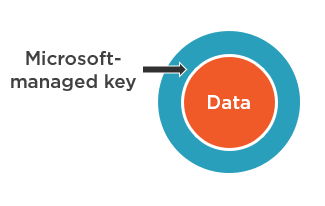
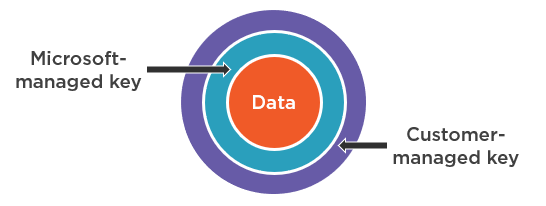
In addition, customer-managed encryption keys are also supported, so that you can use your own encryption keys. This adds another layer of encryption, on top of the encryption based on Microsoft-managed keys that, again, can never be disabled. That said, using customer-managed keys is generally discouraged, unless you are absolutely obliged by regulatory compliance guidelines mandated by your industry. And the reason for this is simple; because then you become responsible for managing those keys, and that’s a huge responsibility. Now you need to maintain and rotate encryption keys yourself, and if you should lose a key, then you lose access to all your data, and Microsoft will not be able to help you recover it. And another relatively minor consideration is that you’re going to incur a slight increase in RU charges when using customer-managed keys, because of the additional CPU overhead needed to encrypt your data with them.
So again, using customer-managed keys does not disable the default behavior; your data still gets encrypted using a Microsoft managed key. The result is double-encryption, where that encrypted data is then encrypted again using your own key that you supply.
Currently, you can only configure your account to use customer-managed keys when you’re creating the account; they cannot be enabled on an existing account. So here in the portal, during the process of creating a new account, the Encryption tab lets you set it up.
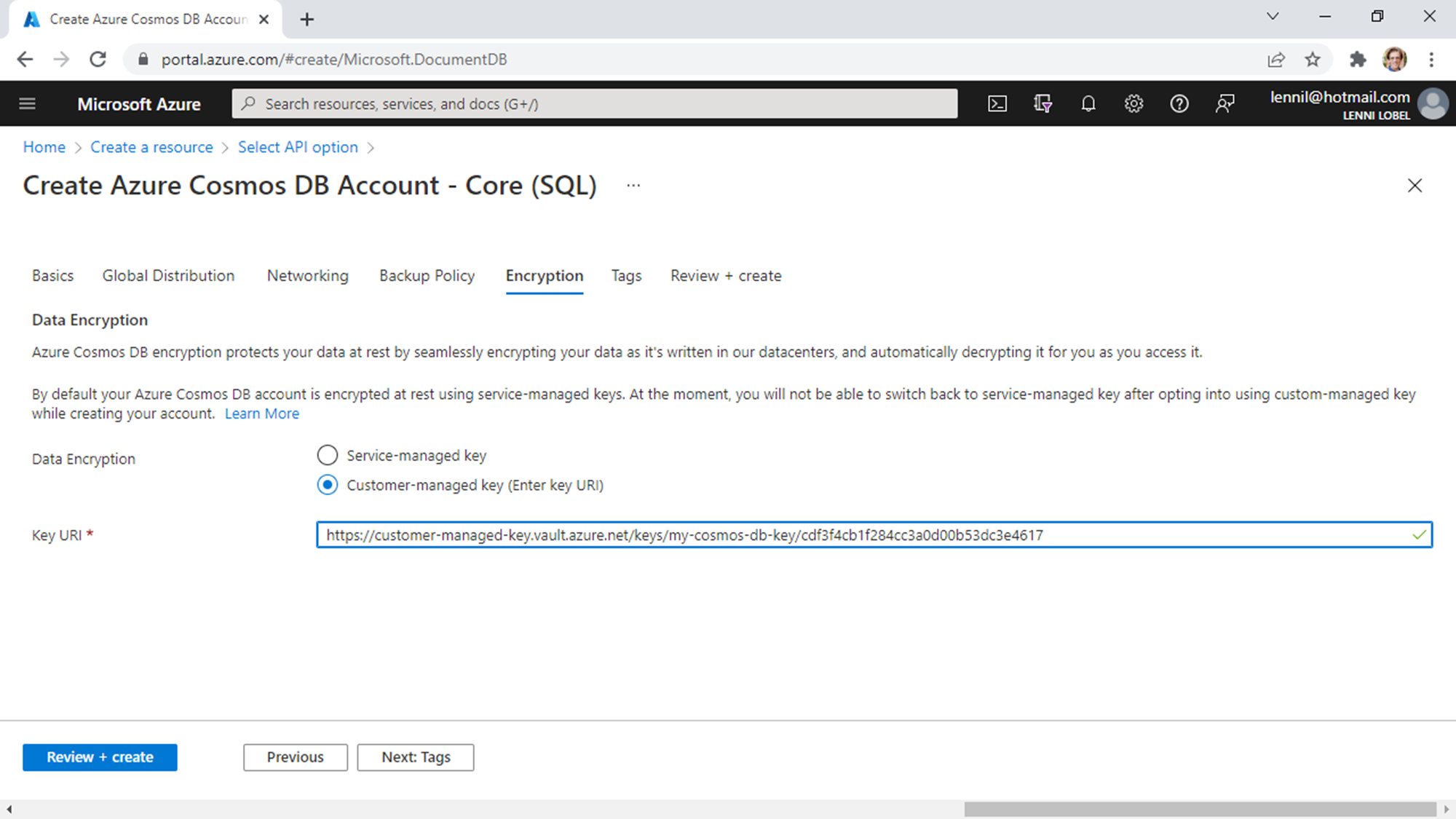
The default is to use a service-managed key – that is, the one provided and managed by Microsoft, but you can also choose to use a customer-managed key. And when you make this choice, the portal prompts you for the Key URI, and that’s simply the path to your own key that you’ve got stored in your own Azure key vault.
So you see that it’s pretty simple to configure your Cosmos DB account to encrypt your data using your own encryption key that you have in Azure Key Vault.
Beyond server-side encryption, Cosmos DB supports client-side encryption – a feature that’s also known as Always Encrypted. Because your data is always encrypted on the server-side, enabling client-side encryption as well means that your data is truly always encrypted, even as it flows into and out of your client. So stay tuned for my next post where we’ll dive into client-side encryption with Always Encrypted.

 Lenni's Technology Blog
Leave a comment